Platform / Clinical & Imaging Tools
Capture, diagnose, and collaborate, anywhere
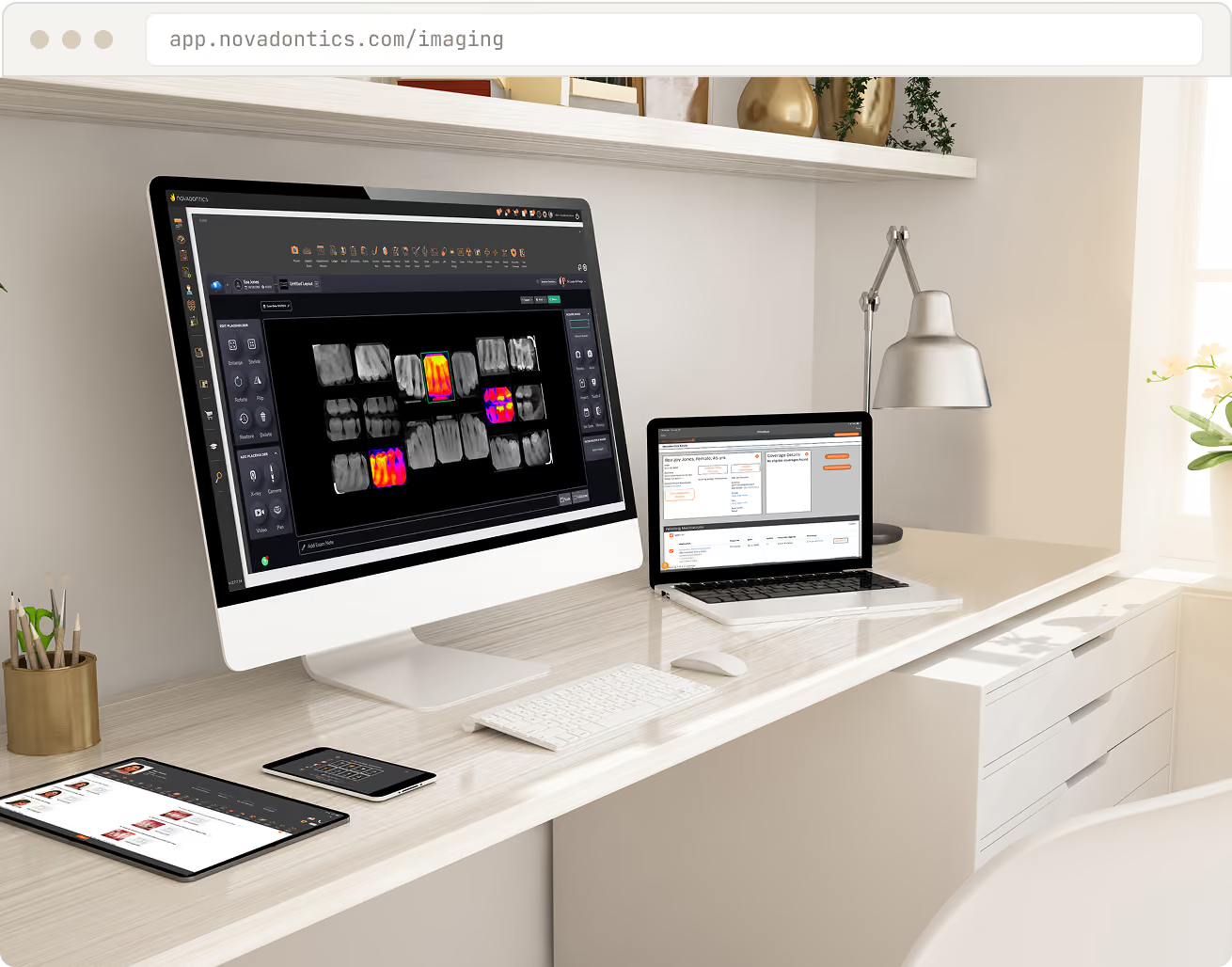
Cloud-based dental imaging, AI-assisted diagnostics, and clinical notes that integrate with the patient record. Capture, view, and edit images in your browser, accessible from any web-enabled device.


The problem
Imaging trapped on a server slows everyone down
Local imaging software, one workstation, and notes scattered across systems make it hard to diagnose fast, collaborate, or work remotely.
Imaging stuck on one machine
Servers to maintain and back up
Notes disconnected from images
No easy way to consult remotely
What you get
Every image and note,
in one cloud record
Cloud-based dental imaging
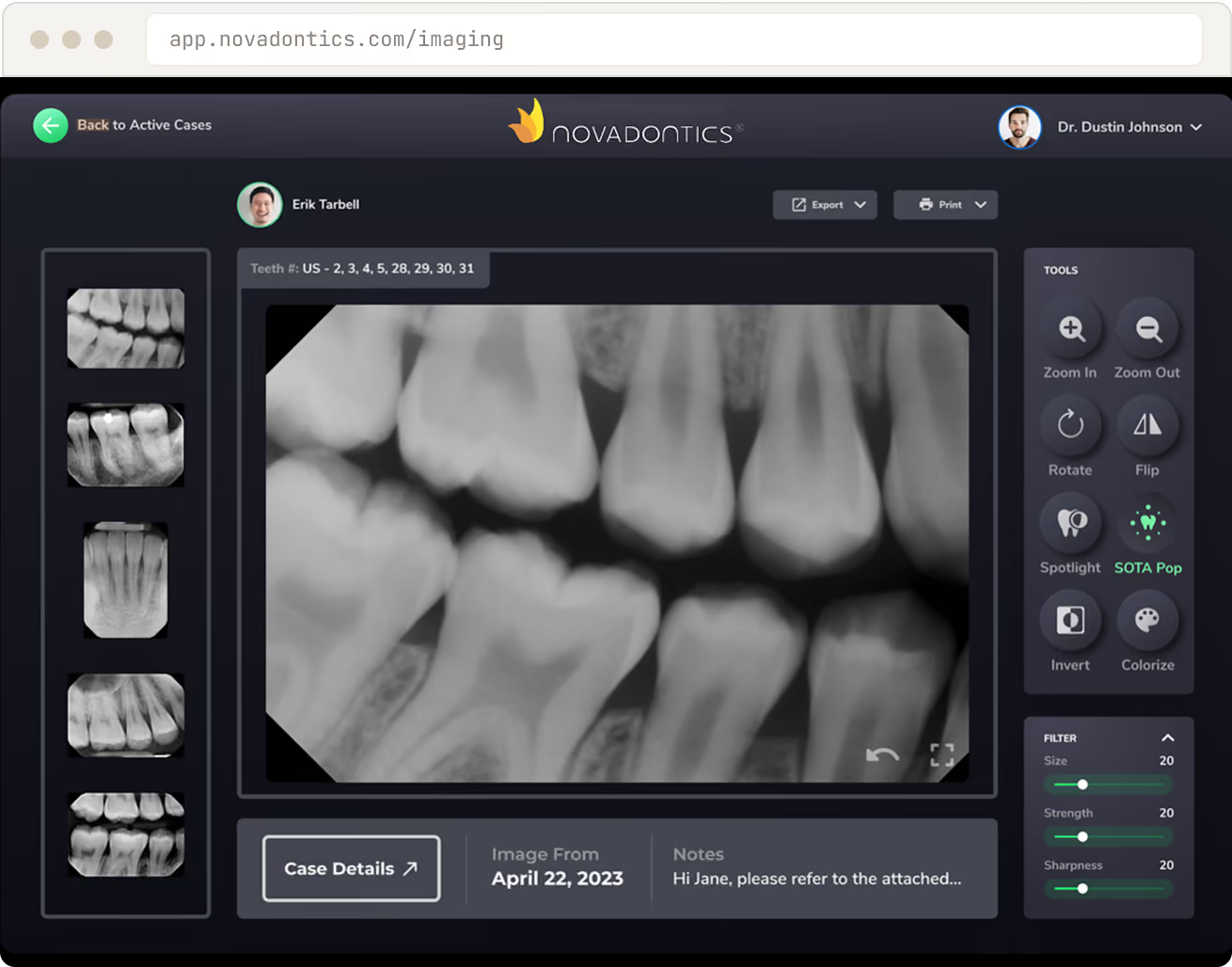
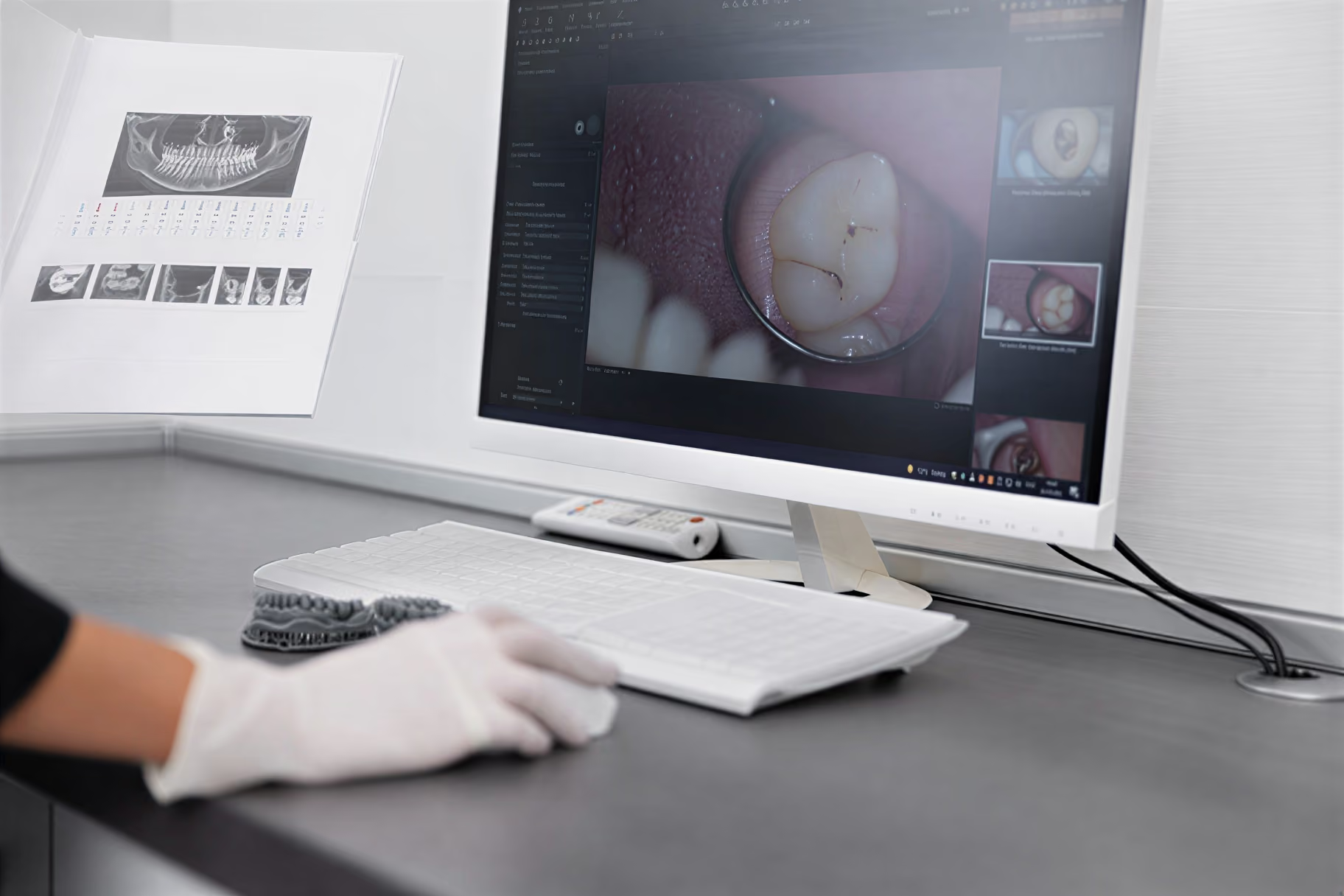
Capture and view radiographs in your browser
Capture, view, and edit high-quality images in the cloud, with no servers and no special software. Access radiographs and scans from the operatory, the front desk, or a remote location.
Intraoral, CT, and panoramic
Capture every radiograph type in one viewer.
Browser-based viewer
Measure and annotate, no plugins to install.
Encrypted cloud storage
Automatic backup, accessible from anywhere.
Smart diagnostic tools
AI that helps you catch what matters
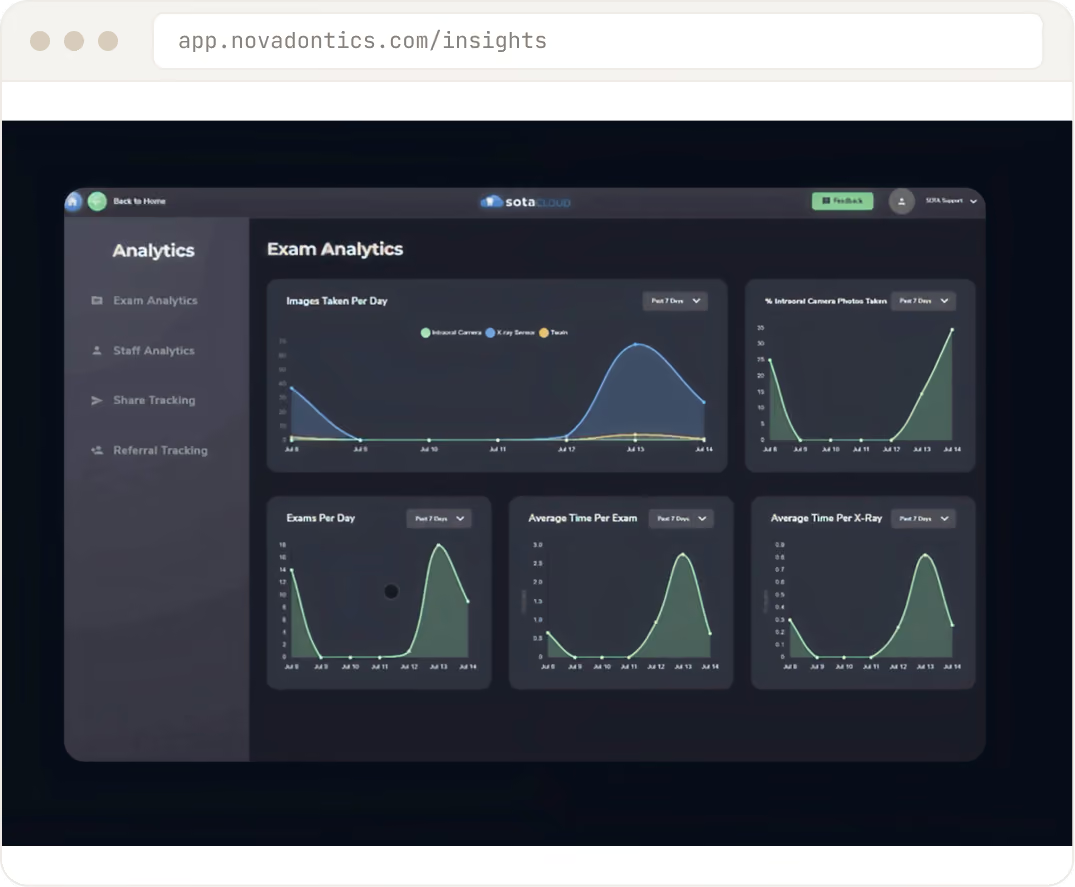
AI-driven diagnostic tools help identify potential issues in dental images for more accurate diagnoses. Real-time dashboards surface clinical trends, outcomes, and referral sources.
AI-assisted analysis
Flags areas of interest for a faster read.
Clinical analytics
Track outcomes and trends across the practice.
Standardized protocols
Consistent care that reduces complications.
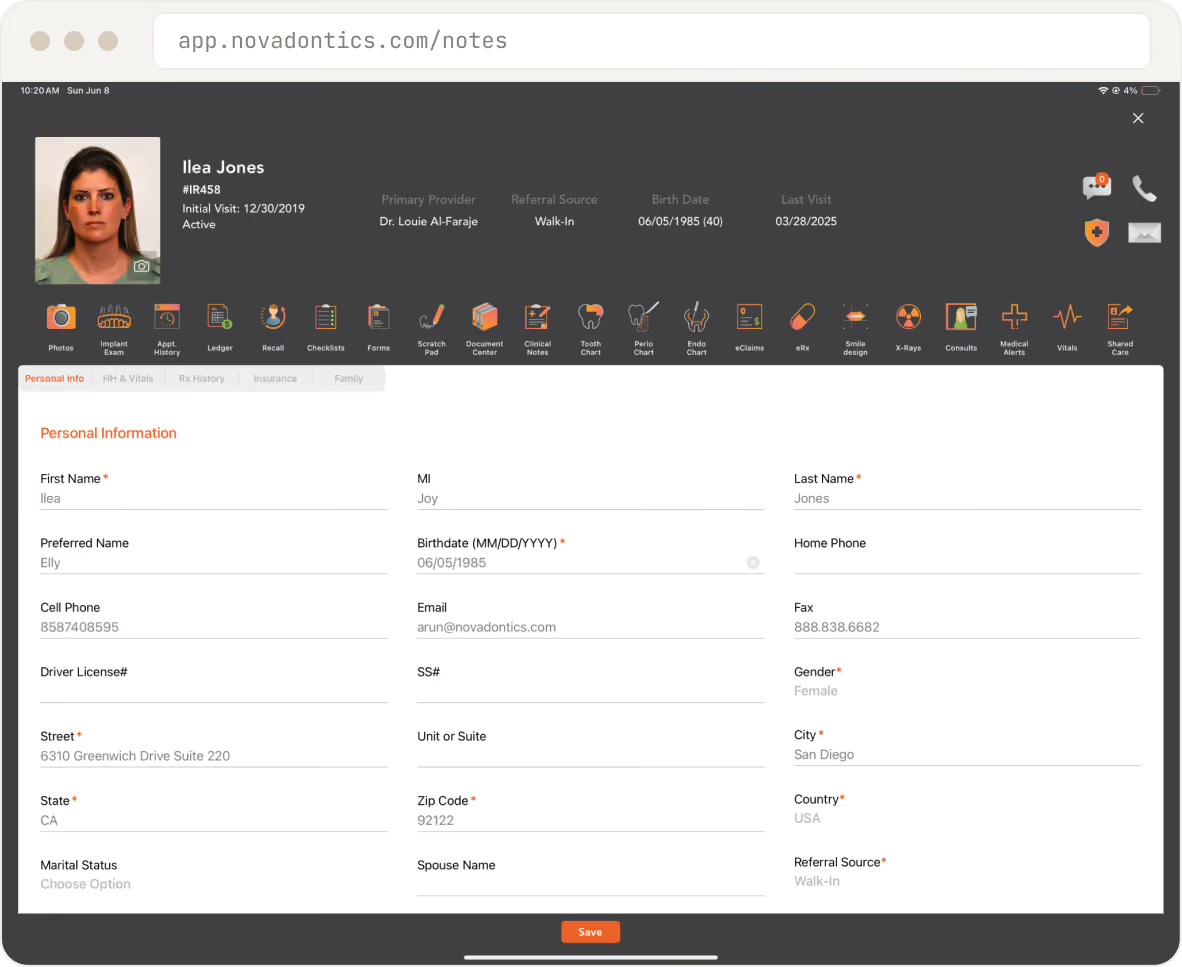
Implant-ready clinical notes
Document every detail, with e-signature
Clinical notes integrate with the patient record and include implant-specific fields: brand, surface, bone density, and ISQ, plus pre, peri, and post-surgical photos and electronic signatures.
Implant fields built in
Brand, surface, bone density, and ISQ.
Pre, peri, and post-op photos
Every stage stored in the record.
Electronic signature
Sign and lock notes for compliance.
A day on Novadontics
From capture to consult, one record
Imaging, AI, and notes flow through a single cloud record. Click through a clinical case.
Capture
Capture
Take radiographs or intraoral scans in the operatory and they upload to the cloud automatically. There is no bridge software to babysit and no server to maintain. Every image lands in the patient record the moment it is taken.
Works with your existing sensors and scanners
Auto-upload to the cloud
No local server to manage
AI review
AI review
Smart diagnostic tools read the image and flag areas of interest for review. The AI does not replace your judgment. It sharpens it, helping you catch more and explain findings clearly to the patient.
Automated image analysis
Flags areas of interest
Faster, more confident diagnosis
View anywhere
View anywhere
Open full-resolution images on the operatory iPad, at the front desk, or from home. Because everything lives in the cloud, any web-enabled device becomes a viewing and annotation station with nothing to install.
Full-resolution viewing on any device
Annotate in the browser
Nothing to install
Note
Note
Document findings, implant specs, vitals, and clinical photos in a note that links directly to the patient record, then sign electronically. Templates keep charting consistent and fast across every provider.
Implant-ready clinical notes
Photos and vitals attached
Electronic signature
Share
Share
Send the treatment plan and imaging to the patient for review and e-signature, or consult a specialist securely through Nova SharedCare. One record, shared cleanly, with no email attachments or lost files.
Patient review and e-signature
Specialist consult via Nova SharedCare
Secure, HIPAA-certified sharing
The numbers
Faster diagnoses,
fewer complications
Cloud
No servers to maintain
Unlimited
Users per office
Any device
Browser, iPad, or phone
HIPAA
Certified cloud
Standardized protocols and AI-assisted diagnostics help minimize complications and avoid costly treatment redos. US-based support, 24/7.
EXPLORE THE PLATFORM
The rest of the platform
Practice Management
Scheduling, charting, treatment planning, billing, and analytics in one record.
Patient Engagement
Online booking, reminders, bill-pay, and teledentistry through Care Pulse.
Implant Tools
Implant logbook, checklist protocols, and specialty charting.
REVIEWS
Dentists keep the receipts.
WF
Dr. Sarah Whitman
Whitman Family Dental, Austin
We replaced five logins with one. The front desk got their mornings back, and recall finally runs itself.
22 HRS/WEEK SAVED
WF
Dr. Marcus Reed
Reed Dental Group, 9 locations
Rolling out a new location used to take months. Now it takes a weekend, same workflows, same reporting.
9 LOCATIONS, ONE DASHBOARD
WF
Dr. Anaya Bose
Magnolia Smiles, Nashville
Our no-show rate dropped the first month. The texting just works without anyone touching it.
9 LOCATIONS, ONE DASHBOARD
WF
Dr. Lena Hart
Harborview Dental, Seattle
Month-end used to eat a full weekend. Now it is two quiet days and the numbers match.
WF
Dr. Sarah Whitman
Whitman Family Dental, Austin
We replaced five logins with one. The front desk got their mornings back, and recall finally runs itself.
22 HRS/WEEK SAVED
WF
Dr. Marcus Reed
Reed Dental Group, 9 locations
Rolling out a new location used to take months. Now it takes a weekend, same workflows, same reporting.
9 LOCATIONS, ONE DASHBOARD
WF
Dr. Anaya Bose
Magnolia Smiles, Nashville
Our no-show rate dropped the first month. The texting just works without anyone touching it.
9 LOCATIONS, ONE DASHBOARD
WF
Dr. Lena Hart
Harborview Dental, Seattle
Month-end used to eat a full weekend. Now it is two quiet days and the numbers match.
WF
Dr. Sarah Whitman
Whitman Family Dental, Austin
We replaced five logins with one. The front desk got their mornings back, and recall finally runs itself.
22 HRS/WEEK SAVED
WF
Dr. Marcus Reed
Reed Dental Group, 9 locations
Rolling out a new location used to take months. Now it takes a weekend, same workflows, same reporting.
9 LOCATIONS, ONE DASHBOARD
WF
Dr. Anaya Bose
Magnolia Smiles, Nashville
Our no-show rate dropped the first month. The texting just works without anyone touching it.
5 LOCATIONS, ONE DASHBOARD
WF
Dr. Lena Hart
Harborview Dental, Seattle
Month-end used to eat a full weekend. Now it is two quiet days, and the numbers match.
WF
Dr. Sarah Whitman
Whitman Family Dental, Austin
We replaced five logins with one. The front desk got their mornings back, and recall finally runs itself.
22 HRS/WEEK SAVED
WF
Dr. Marcus Reed
Reed Dental Group, 9 locations
Rolling out a new location used to take months. Now it takes a weekend, same workflows, same reporting.
9 LOCATIONS, ONE DASHBOARD
WF
Dr. Anaya Bose
Magnolia Smiles, Nashville
Our no-show rate dropped the first month. The texting just works without anyone touching it.
5 LOCATIONS, ONE DASHBOARD
WF
Dr. Lena Hart
Harborview Dental, Seattle
Month-end used to eat a full weekend. Now it is two quiet days, and the numbers match.
WF
Dr. Sarah Whitman
Whitman Family Dental, Austin
We replaced five logins with one. The front desk got their mornings back, and recall finally runs itself.
22 HRS/WEEK SAVED
WF
Dr. Marcus Reed
Reed Dental Group, 9 locations
Rolling out a new location used to take months. Now it takes a weekend, same workflows, same reporting.
9 LOCATIONS, ONE DASHBOARD
WF
Dr. Anaya Bose
Magnolia Smiles, Nashville
Our no-show rate dropped the first month. The texting just works without anyone touching it.
9 LOCATIONS, ONE DASHBOARD
WF
Dr. Lena Hart
Harborview Dental, Seattle
Month-end used to eat a full weekend. Now it is two quiet days and the numbers match.
WF
Dr. Sarah Whitman
Whitman Family Dental, Austin
We replaced five logins with one. The front desk got their mornings back, and recall finally runs itself.
22 HRS/WEEK SAVED
WF
Dr. Marcus Reed
Reed Dental Group, 9 locations
Rolling out a new location used to take months. Now it takes a weekend, same workflows, same reporting.
9 LOCATIONS, ONE DASHBOARD
WF
Dr. Anaya Bose
Magnolia Smiles, Nashville
Our no-show rate dropped the first month. The texting just works without anyone touching it.
9 LOCATIONS, ONE DASHBOARD
WF
Dr. Lena Hart
Harborview Dental, Seattle
Month-end used to eat a full weekend. Now it is two quiet days and the numbers match.
Anywhere access
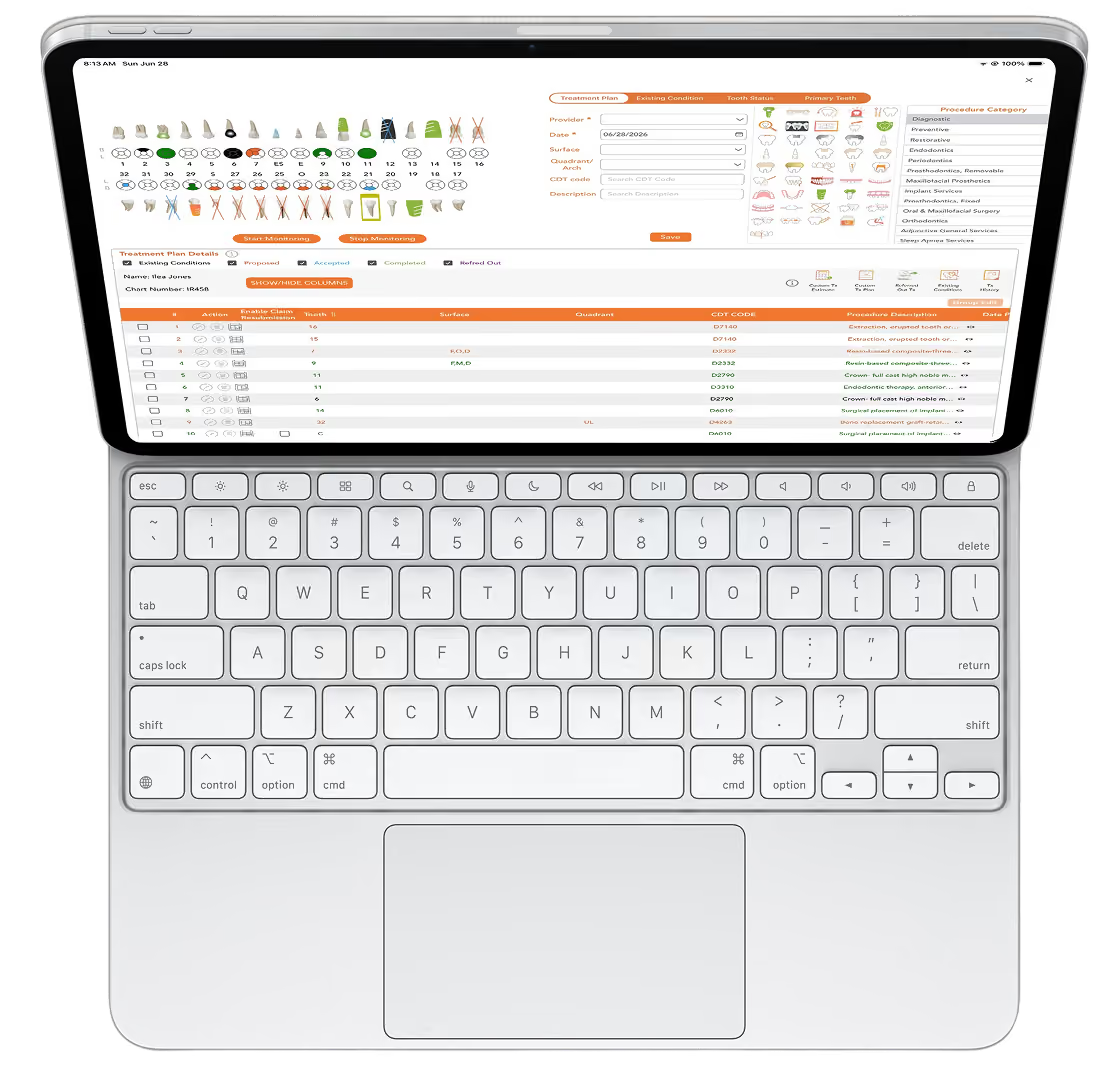
Plan in your browser, pick up on your iPad
Your treatment planning syncs across devices automatically. Access patient data and imaging from any desktop, laptop, tablet, or mobile device.
Security
Your patients' data, locked down.
Novadontics runs on a HIPAA-certified cloud datacenter. Records are encrypted, backed up, and protected with role-based access, so sensitive information is always secure.
HIPAA-certified cloud datacenter
Encrypted in transit and at rest
Role-based access and audit trails
Clinical and imaging FAQs
Still curious? Still curious? A 30-minute demo answers the rest on your own practice data.A 30-minute demo answers the rest on your own practice data.
Do I need special software to view radiographs?
No. Cloud imaging is built into Novadontics, so radiographs open next to the chart in the same platform, with no separate viewer to install or log into.
Can I access images on an iPad in the operatory?
Yes. Because everything is cloud-based, images and charts are available chairside on any device, with unlimited users and storage.
How do the AI diagnostic tools work?
Novadontics includes AI-assisted diagnostic tools that help surface findings in imaging to support your clinical judgment. They speed up review; they do not replace the clinician.
How is imaging data secured?
Imaging is stored in the HIPAA-certified cloud with encryption and automatic backups, so nothing lives on a local server that can fail or be lost.
Can I bring images in from my CBCT or existing system?
Yes. You can bring existing imaging into the platform so your history lives in one place. Our team confirms the specifics of your current setup during onboarding.
What support do I get?
US-based support and full team training are included, with no per-seat fees.
Bring your imaging into the cloud
Schedule a chat to see cloud imaging, AI diagnostics, and clinical notes in action. If our packages are not the perfect fit, we will build a custom solution.