Platform / Implant Dentistry Tools
The only platform built for implant dentistry
Imagine all your implant data organized and at your fingertips. The electronic interactive Implant Logbook records and tracks every implant placed in your office, from pre-op checklist to long-term follow-up.
.avif)


The problem
Implant data scattered across charts and memory
Few practitioners have time to sort through hundreds of records to assess trends in their implant practice. Without one system, outcomes, protocols, and follow-ups slip.
Implant details buried in charts
No view of your success rate
Missed restoration windows
No data to refine protocols
What you get
Every implant,
recorded and tracked
Implant logbook
Search and sort every case in seconds
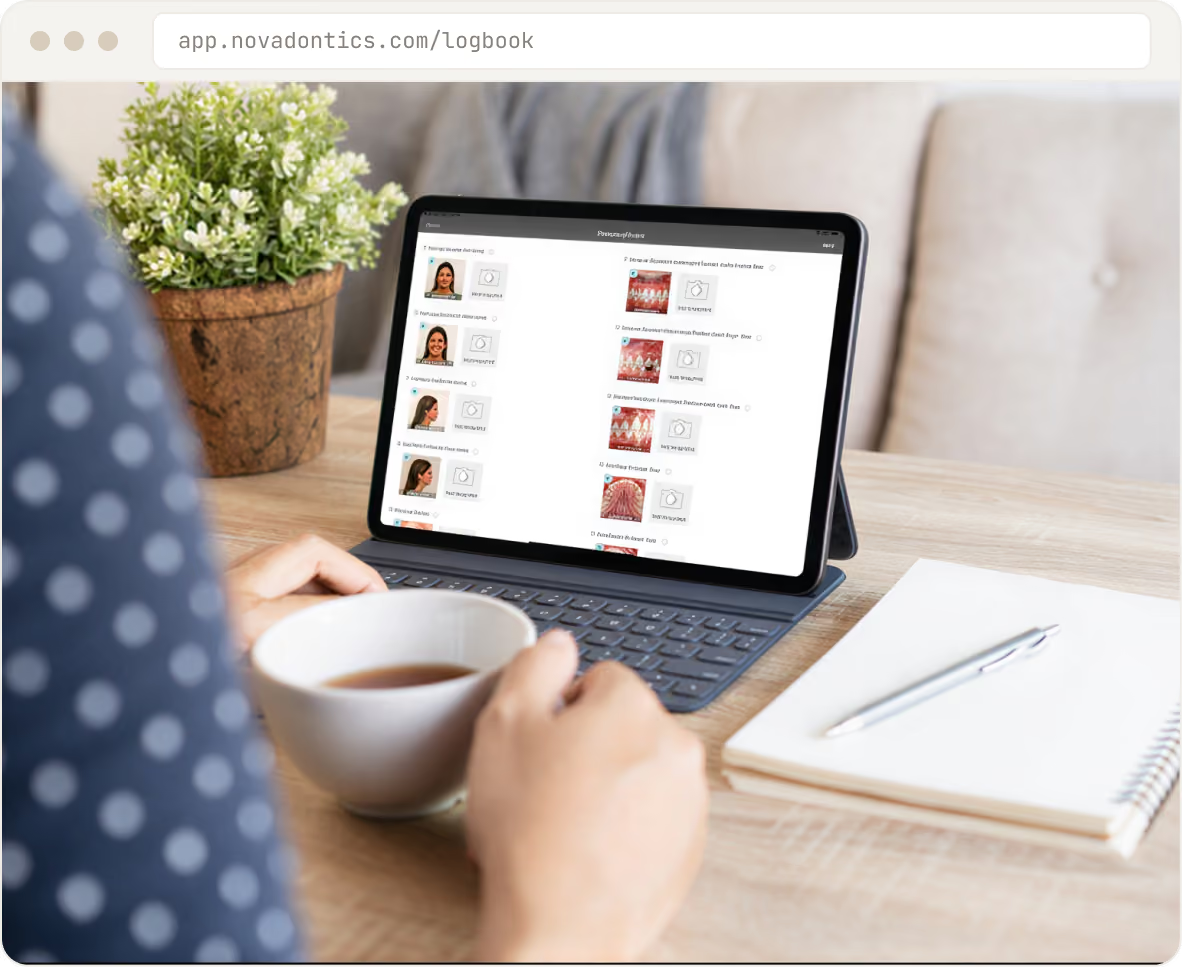
The logbook is automatically populated with implant data entered in patient files, or you can enter it directly. Search and sort by implant brand and size, surgical and loading protocols, bone density, and stability measurements.
Auto-fills from clinical notes
Implant data syncs both ways, no double entry.
Filter every field
Brand, size, protocol, bone density, and ISQ.
Real-time mobile sync
Your logbook travels across your devices.
Reminders & success tracking
Never miss a restoration window
Know at a glance when implants are within 30 days of their projected restoration date. Mark failed implants with a date and reason; your office success rate is calculated automatically and shown on the main logbook page.
Restoration reminders
Staff spot and contact patients who are due.
Failed-implant tracking
Log date and reason with simple status codes.
Live success rate
Your office success rate, calculated for you.
Reports & imaging
Export reports, see changes in bone levels over time
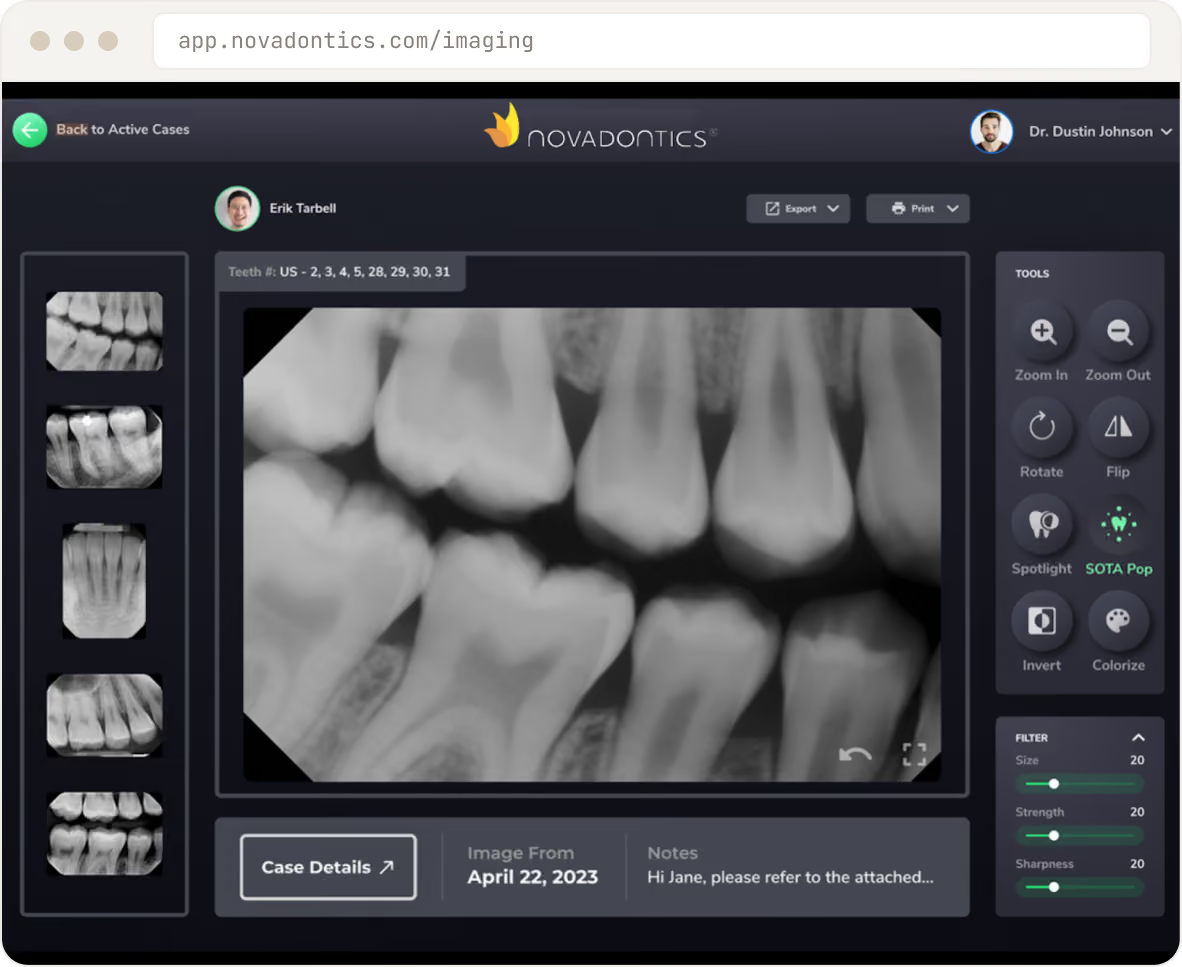
Export detailed reports on specific implant data for practice management or research. Import x-rays from patient files to show bone levels over years of treatment, all stored on a secure, HIPAA-compliant AWS cloud.
Exportable reports
For practice management and research.
Import x-rays over time
See bone levels across years of treatment.
Secure AWS cloud
HIPAA-compliant storage for every case.
A day on Novadontics
From pre-op to follow-up, fully documented
Standardize every implant case on one record. Click through a surgical case.
pre-op
Pre-op checklist
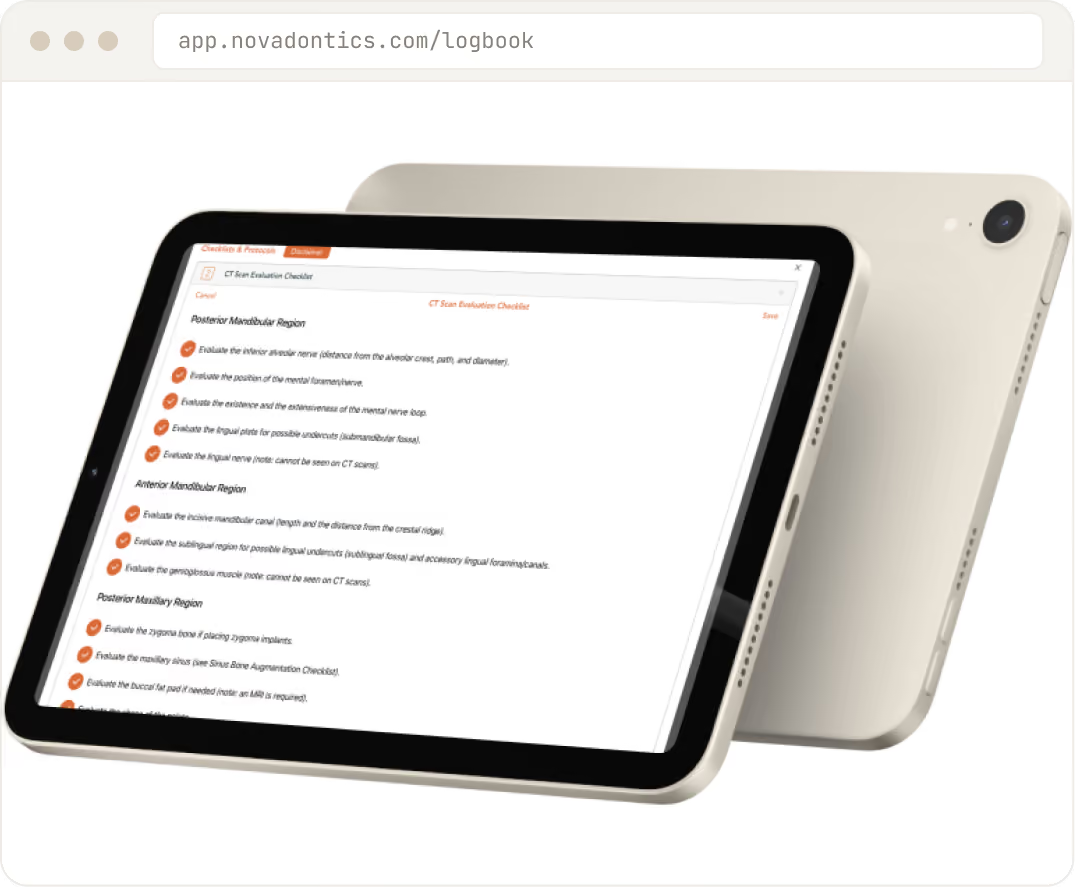
Open the implant checklist and confirm candidacy, medical history, imaging review, and implant-system selection before the patient is in the chair. Standardized protocols keep every case consistent, no matter which provider runs it.
Guided candidacy and history review
Imaging and system selection
Standardized case protocols
Place
Place
On the day of surgery, record implant brand, surface, diameter, length, and ISQ readings in the logbook as you work. Surgical photos attach to the record in real time, so the case is documented while it is fresh.
Full implant specs in the logbook
ISQ readings captured
Surgical photos attached live
Surgical notes
Surgical notes
Document insertion torque, bone quality, graft materials, and chairside observations in a structured surgical note. Pre-, peri-, and post-op photos are stored with the case permanently, so nothing is lost between visits.
Torque, bone quality, and grafts logged
Structured, repeatable notes
Pre-, peri-, and post-op photos kept
Track
Track
At each follow-up, log probing depth, mobility, and ISQ, and the logbook plots the trend automatically. You see osseointegration progress case by case and your true success rate across the whole practice.
Probing depth, mobility, and ISQ over time
Osseointegration trend lines
Practice-wide success rate
Follow-up
Follow-up
Automatic reminders flag the restoration window so no case stalls after placement. Reports by surgeon, implant system, and protocol show what is working, so you can refine your technique with real data behind it.
Restoration window reminders
Reports by surgeon, system, and protocol
Data to refine your protocols
The numbers
A data-driven
implant practice
Patented
Implant technology
By dentists
Built for implant practices
Unlimited
Users per office
HIPAA
Certified AWS cloud
The Implant Logbook is available for $29/month or with the Novadontics platform. US Patent 11,456,063 B2. 24/7 US-based support.
EXPLORE THE PLATFORM
The rest of the platform
Practice Management
Scheduling, charting, treatment planning, billing, and analytics in one record.
Patient Engagement
Online booking, reminders, bill-pay, and teledentistry through Care Pulse.
Clinical & Imaging Tools
Cloud imaging, AI diagnostics, and clinical notes on any device.
REVIEWS
Dentists keep the receipts.
WF
Dr. Sarah Whitman
Whitman Family Dental, Austin
We replaced five logins with one. The front desk got their mornings back, and recall finally runs itself.
22 HRS/WEEK SAVED
WF
Dr. Marcus Reed
Reed Dental Group, 9 locations
Rolling out a new location used to take months. Now it takes a weekend, same workflows, same reporting.
9 LOCATIONS, ONE DASHBOARD
WF
Dr. Anaya Bose
Magnolia Smiles, Nashville
Our no-show rate dropped the first month. The texting just works without anyone touching it.
9 LOCATIONS, ONE DASHBOARD
WF
Dr. Lena Hart
Harborview Dental, Seattle
Month-end used to eat a full weekend. Now it is two quiet days and the numbers match.
WF
Dr. Sarah Whitman
Whitman Family Dental, Austin
We replaced five logins with one. The front desk got their mornings back, and recall finally runs itself.
22 HRS/WEEK SAVED
WF
Dr. Marcus Reed
Reed Dental Group, 9 locations
Rolling out a new location used to take months. Now it takes a weekend, same workflows, same reporting.
9 LOCATIONS, ONE DASHBOARD
WF
Dr. Anaya Bose
Magnolia Smiles, Nashville
Our no-show rate dropped the first month. The texting just works without anyone touching it.
9 LOCATIONS, ONE DASHBOARD
WF
Dr. Lena Hart
Harborview Dental, Seattle
Month-end used to eat a full weekend. Now it is two quiet days and the numbers match.
WF
Dr. Sarah Whitman
Whitman Family Dental, Austin
We replaced five logins with one. The front desk got their mornings back, and recall finally runs itself.
22 HRS/WEEK SAVED
WF
Dr. Marcus Reed
Reed Dental Group, 9 locations
Rolling out a new location used to take months. Now it takes a weekend, same workflows, same reporting.
9 LOCATIONS, ONE DASHBOARD
WF
Dr. Anaya Bose
Magnolia Smiles, Nashville
Our no-show rate dropped the first month. The texting just works without anyone touching it.
5 LOCATIONS, ONE DASHBOARD
WF
Dr. Lena Hart
Harborview Dental, Seattle
Month-end used to eat a full weekend. Now it is two quiet days, and the numbers match.
WF
Dr. Sarah Whitman
Whitman Family Dental, Austin
We replaced five logins with one. The front desk got their mornings back, and recall finally runs itself.
22 HRS/WEEK SAVED
WF
Dr. Marcus Reed
Reed Dental Group, 9 locations
Rolling out a new location used to take months. Now it takes a weekend, same workflows, same reporting.
9 LOCATIONS, ONE DASHBOARD
WF
Dr. Anaya Bose
Magnolia Smiles, Nashville
Our no-show rate dropped the first month. The texting just works without anyone touching it.
5 LOCATIONS, ONE DASHBOARD
WF
Dr. Lena Hart
Harborview Dental, Seattle
Month-end used to eat a full weekend. Now it is two quiet days, and the numbers match.
WF
Dr. Sarah Whitman
Whitman Family Dental, Austin
We replaced five logins with one. The front desk got their mornings back, and recall finally runs itself.
22 HRS/WEEK SAVED
WF
Dr. Marcus Reed
Reed Dental Group, 9 locations
Rolling out a new location used to take months. Now it takes a weekend, same workflows, same reporting.
9 LOCATIONS, ONE DASHBOARD
WF
Dr. Anaya Bose
Magnolia Smiles, Nashville
Our no-show rate dropped the first month. The texting just works without anyone touching it.
9 LOCATIONS, ONE DASHBOARD
WF
Dr. Lena Hart
Harborview Dental, Seattle
Month-end used to eat a full weekend. Now it is two quiet days and the numbers match.
WF
Dr. Sarah Whitman
Whitman Family Dental, Austin
We replaced five logins with one. The front desk got their mornings back, and recall finally runs itself.
22 HRS/WEEK SAVED
WF
Dr. Marcus Reed
Reed Dental Group, 9 locations
Rolling out a new location used to take months. Now it takes a weekend, same workflows, same reporting.
9 LOCATIONS, ONE DASHBOARD
WF
Dr. Anaya Bose
Magnolia Smiles, Nashville
Our no-show rate dropped the first month. The texting just works without anyone touching it.
9 LOCATIONS, ONE DASHBOARD
WF
Dr. Lena Hart
Harborview Dental, Seattle
Month-end used to eat a full weekend. Now it is two quiet days and the numbers match.
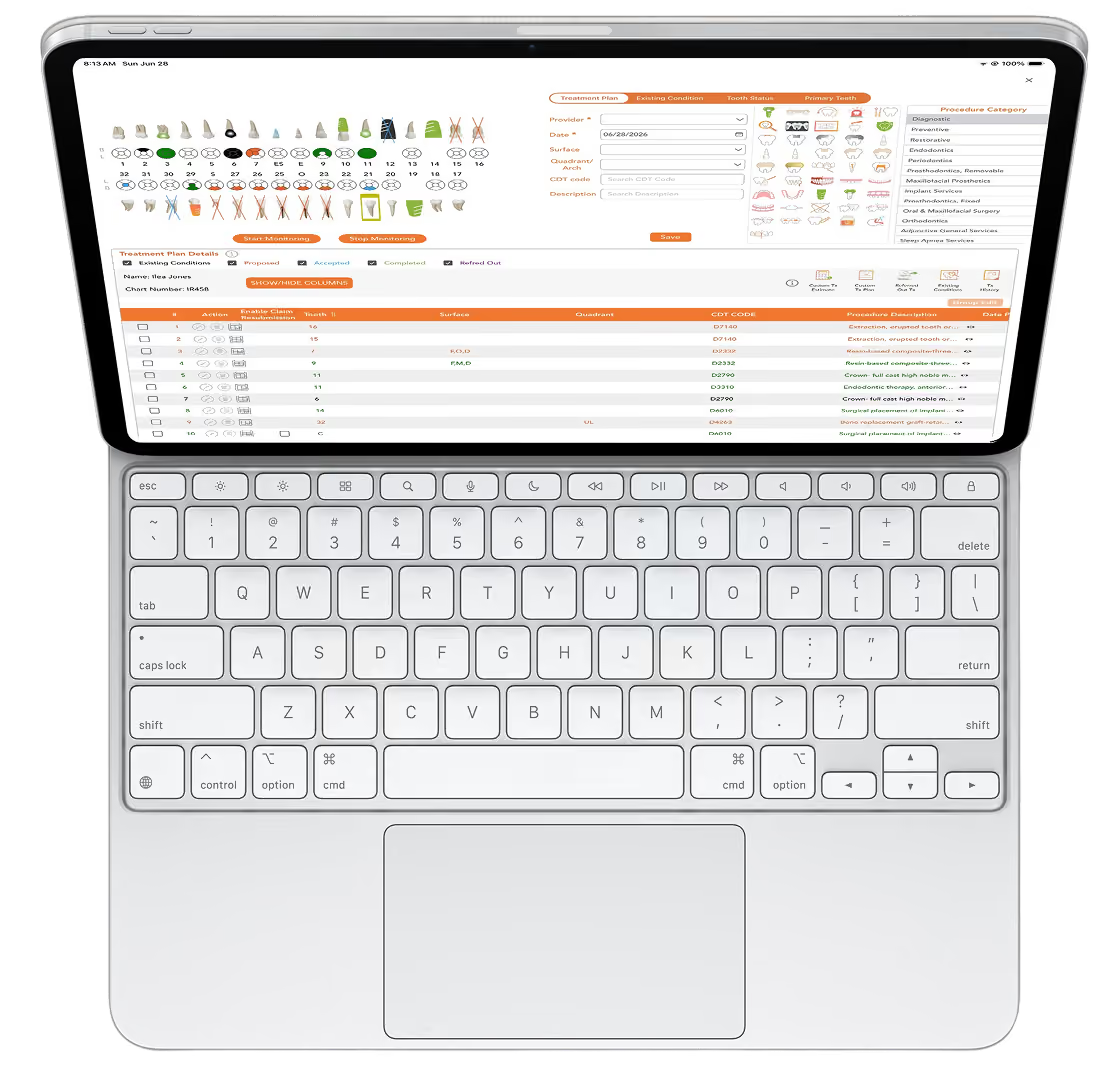
Anywhere access
Plan in your browser, pick up on your iPad
Your treatment planning syncs across devices automatically. Access patient data and imaging from any desktop, laptop, tablet, or mobile device.
Security
Your patients' data, locked down.
Novadontics runs on a HIPAA-certified cloud datacenter. Records are encrypted, backed up, and protected with role-based access, so sensitive information is always secure.
HIPAA-certified cloud datacenter
Encrypted in transit and at rest
Role-based access and audit trails
.avif)
Implant tools FAQs
Still curious? A 30-minute demo answers the rest of your questions based on your own practice data.
How is the Implant Logbook different from a clinical note?
A clinical note records a visit. The Implant Logbook tracks each implant as a case over time, from placement through follow-up, so you can see outcomes across your whole practice, not just one appointment.
Can it track my implant success rate?
Yes. The logbook follows implants through their lifecycle, so you can track outcomes and success rates over time.
Does it sync with ISQ readers and CBCT?
Imaging including CBCT is built into the platform, and the logbook holds the data you capture for each case. For specific device integrations, our team confirms what connects directly with your equipment.
How much does the Implant Logbook cost?
The Implant Logbook is available as an add-on subscription at $29 a month, on top of your plan.
Is my implant data secure, and can I export it?
Yes. Your data is stored in the HIPAA-certified cloud, and it remains yours. You can export your records.
What support do I get?
US-based support and training are included, with unlimited users per office.
Start tracking every implant in your practice
Schedule a chat to see the Implant Logbook and checklist protocols in action. If our packages are not the perfect fit, we will build a custom solution.