Dental practice management software (PMS) is the system your office runs on. It holds the schedule, the patient chart, the ledger and the insurance claims. Your front desk lives in it all day, your clinicians chart in it, and your accountant pulls reports from it.
Because everything runs through it, the PMS you pick shapes how fast your team works and how easily you can switch later. This guide explains what a PMS does, how cloud and server systems differ, and what to ask before you sign a contract.
What dental practice management software does
Most systems cover the same core jobs:
- Scheduling: Appointment book across providers, operatories and locations; reminders; recall
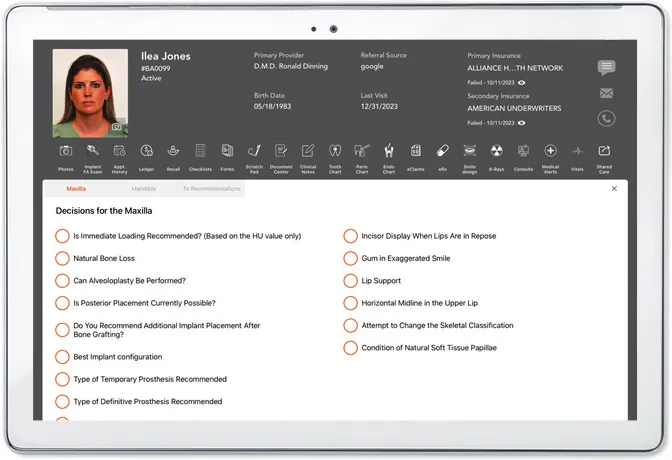
- Charting: Tooth chart, perio chart, clinical notes, treatment history
- Treatment planning: Phased plans, fee estimates, case presentation, e-signature
- Billing and ledger: Patient balances, payments, statements, payment plans
- Insurance: Eligibility checks, claims, attachments, payment posting
- Patient communication: Text and email reminders, two-way texting, online forms, reviews
- Imaging: Capturing and viewing x-rays and photos linked to the chart
- Reporting: Production, collections, schedule fill, case acceptance
- E-prescribing: Sending prescriptions to the patient's pharmacy
Some vendors build all of these into one system. Others sell a core PMS and expect you to add separate tools for texting, forms, imaging or analytics. Each add-on means another login, another bill and another place where patient data can fall out of sync.
Cloud vs. server: the biggest decision
Server-based (on-premise) software installs on a computer in your office. Your team accesses it over the office network. You own the hardware, the backups and the updates, usually with help from an IT company.
Cloud-based software runs in a web browser. The vendor hosts the system and the data, handles updates and backups, and you log in from any device with an internet connection.
- Upfront cost: Server-based: Server hardware, licenses, installation. Cloud-based: Usually a monthly subscription.
- Updates: Server-based: Installed by you or your IT vendor. Cloud-based: Delivered by the vendor.
- Backups: Server-based: Your responsibility. Cloud-based: Handled by the vendor.
- Remote access: Server-based: Needs a VPN or remote desktop. Cloud-based: Built in.
- Multiple locations: Server-based: Harder to connect. Cloud-based: One system across offices.
- Internet outage: Server-based: Office keeps running. Cloud-based: Needs a backup connection plan.
Cloud systems suit practices that want to drop server maintenance, open more locations, or let doctors review charts from home. Server systems still appeal to offices with unreliable internet. If you go cloud, put a backup internet connection in the budget.